 BaroQuote
Quotes from the job site,
sent in a minute
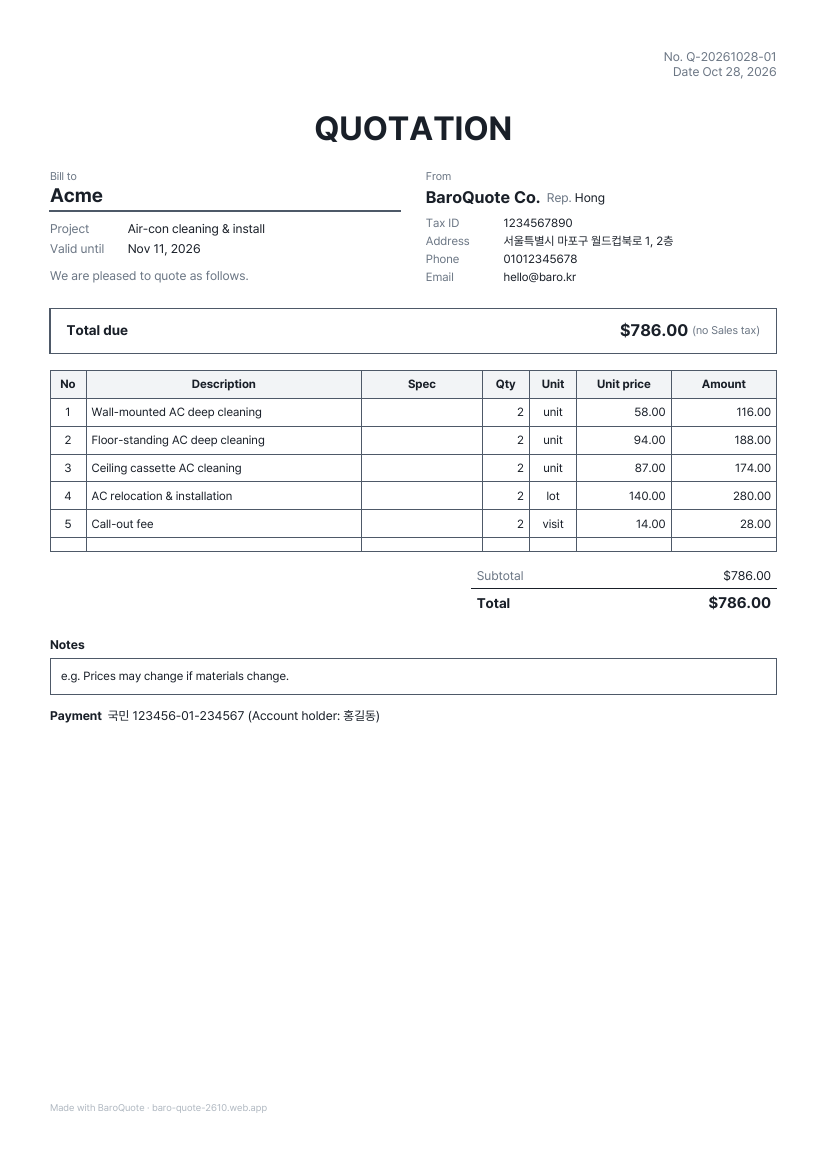
Pick items and the subtotal, tax and total are calculated. Send a professional PDF with your business details and stamp to any messenger. Built for contractors, cleaners, repair pros and freelancers.
Get it free on Google PlayFree to start · No sign-up · Sync across phones with Pro
Only what you use every day
Tap from your price list
Save the items and prices you use often, then tap to add them. Most used first.
Automatic tax
VAT, GST, sales tax — set your rate once, choose added, included or none.
Send the PDF anywhere
WhatsApp, LINE, KakaoTalk, email or SMS in one tap. Status changes to Sent.
Quote → Invoice → Receipt
Turn an accepted quote into an invoice, then a receipt when you're paid.
Stamp & customer signature
Add your stamp or logo, and let the client sign on your phone screen.
16 languages, any currency
Issue documents in your client's language and currency, even if your app is in another.
Quote templates by trade
Sample items for your trade are ready from the start.
Pricing
Free
$05 documents a month · watch an ad for more · standard template · small footer note
Pro
Monthly or yearlyUnlimited documents · no watermark · 2 premium templates · cloud sync · multiple businesses · no ads
Remove ads
One-timeKeep the free plan, lose the ads forever
Prices are shown in your local currency on Google Play. Cancel anytime.
Frequently asked questions
What should a quote include?
Your business details (name, tax ID, contact), the client, the date, each item with quantity, unit price and amount, subtotal, tax and total, and how long the quote is valid. BaroQuote lays all of this out for you.
How is tax calculated?
Choose 'tax added' to add your rate on top of the items, 'tax included' if your prices already include it, or 'no tax' if you're exempt. You can set any rate.
Can I send it on WhatsApp or by email?
Yes. Tap 'Send PDF' and pick WhatsApp, email, SMS, Drive or any app on your phone.
Can I turn a quote into an invoice?
Yes. Tap 'To invoice' on an accepted quote — items and client details carry over. Make a receipt the same way when you're paid.
Is it free?
You can make 5 documents a month for free and watch an ad for more. Pro gives unlimited documents, no watermark, premium templates and no ads.
Where is my data stored?
Documents and client details are stored on your phone, and nothing is uploaded unless you turn on cloud sync. With Pro, sign in with Google to use the same data on every phone; synced data is kept in Google Firebase and you can delete it anytime in Settings.
Send today's quote with BaroQuote
Start for free